Tuesday, March 17, 2009

My 5'th resource @ Garagegames "3D Arrow aiming to objective target"


This resource will give you a 3D arrow (or any object you like) aiming to the target object you want.

This is the preview of how this works.


you can download it here www.geocities.com/herrudarmadi/3darrow.zip
place it on data/shapes/direction/arrow.dts

first add this to your server/game.cs

$aimTarget = 0;

function GameConnection::AimTarget( %this )
{
if($aimTarget)
{
%player = %this.player;
%target = $aimTarget;

%playerTrans = (%player.getTransform());
%xPlayer = getWord(%playerTrans, 0);
%yPlayer = getWord(%playerTrans, 1);
%zRot = getWord(%playerTrans, 5);
%playerRot = getWord(%playerTrans, 6);

%targetPosition = (%target.getPosition());
%xTarget = getWord(%targetPosition, 0);
%yTarget = getWord(%targetPosition, 1);

%xDiff = %xTarget - %xPlayer;
%yDiff = %yTarget - %yPlayer;

// dont have to change it to degrees
// torque engine automatically change it to degrees
%rotToTarget = mAtan(%xDiff, %yDiff);

if(%zRot < 0)
%playerRot = (2 * 22/7) - %playerRot;

// multiply by -1 because the rotation in 3dspace is
// oppositing the guiobjectview rotation
%rotation = -1 * (%rotToTarget - %playerRot);

commandToClient(%this, 'SetDirection', %rotation);
}
%this.schedule(100, AimTarget);
}

on the client/ui/playgui.gui add

new GuiObjectView(direction) {
canSaveDynamicFields = "0";
Profile = "GuiDefaultProfile";
HorizSizing = "center";
VertSizing = "bottom";
position = "244 94";
Extent = "149 149";
MinExtent = "8 2";
canSave = "1";
Visible = "1";
hovertime = "1000";
applyFilterToChildren = "1";
cameraZRot = "0";
forceFOV = "0";
lightDirection = "-0.57735 -0.57735 -0.57735";
lightColor = "0.6 0.58 0.5 1";
ambientColor = "0.3 0.3 0.3 1";
emapAmount = "1";
};


and on the client/playgui.cs add

function PlayGui::onWake(%this)
{
// Turn off any shell sounds...
// alxStop( ... );
$enableDirectInput = "1";
activateDirectInput();
direction.setObject("gb","mod/data/shapes/direction/arrow.dts","","");

// Activate the game's action map
moveMap.push();
}

function clientCmdSetDirection(%rotation)
{
direction.setRotation(0, %rotation );
}

how to use it ?

just set the $aimTarget to any object id in your mission.
then call the gameConnection method aimTarget().

that's it, hope this resource usefull. cheers!

Friday, December 12, 2008

IDC Xmas Game 2008 finished

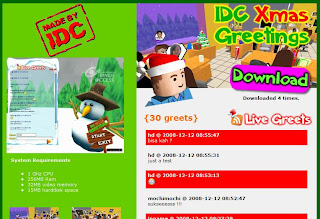
Download and try the game now !

The game is about celebrating the next Christmas by giving Greeting cards to the IDC Binus staff within 30 seconds. Be sure to make it in time! Enjoy the game and Merry Christmas ho ho ho..

visit http://www.herusan.com/xmas to try the game! ho ho ho

Monday, October 13, 2008

Simple Flash Game Creation Tutorial


I've made a simple tutorial about simple game creation using Flash Actionscript 2. The tutorial is using bahasa Indonesia, and the game is about collect falling apples. Dont hesitate to leave any comment and suggestion here.


http://www.geocities.com/herrudarmadi/Flash_gaming_hd_08.pdf
http://www.geocities.com/herrudarmadi/apple.swf

Cheers.

Thursday, September 25, 2008

Friday, September 12, 2008

Kendo Boy 3D pre-alpha version

Still bugs hangin around, well I think it's time to release it in pre-alpha version. Of course to get any input and comments from u all :)
GamePlay: Its all about typing game, just type in the word(s) shown on the top of the input box while the battle is running. Who's faster and correct can hit their opponent, and vice versa.

Here's some screenshots:
Main Menu
Host Game Menu
Join/Challenge Menu
Loading the game
before the game started

well the game started, start typing!!!

FYI: the game needs 2 players connected via network to play.

to play the game you can download it from here : http://rapidshare.com/files/144690045/kendoboyinstaller.msi
Cheers.

Monday, September 1, 2008

Kendo Boy 3D


Yesterday, i started to create this kendo boy game. Based on 2d flash game kendo boy developed by HIMTI BINUS. The game is overall 40% done and the gameplay is similiar with the 2d version, but with multiplayer (2 player) via LAN can battle their speed typing skill here.

well this is the screenshot for the main menu

Monday, August 25, 2008

My first XNA very simple game - space shooting


beginning xna game programming 2.0

my first xna very simple game - space shooting, adopting from Beginning XNA game programming 2.0 with some modification on chapter 3.


here's the code http://www.geocities.com/herrudarmadi/WindowsGame1.zip feel free to modify and do some trial error


Sunday, August 17, 2008

Happy Independence Day Indonesia 17-08-2008

Woke up in the morning and rushed to BINUS university for celebrating 63 years of Indonesia independence day with the new students during their orientation week.

6:30 AM Preparing the line.

Still preparing the line
please dont harm the plants.
7:20 AM Ceremony begins.. hail to the flag.
9:12AM Informal ceremonial, the new students show off their
dance and class attraction.

Thursday, August 7, 2008

Game Progress... till 070808

Hey, my simplest model finally done. Inspired by Lego thx! Here it is ... Boyz and Galz using office suit hehe.. looks funny in there.


The model and animation created using milkshape.


If you want it in your project, just contact me and i'll give it for free ^^.

Thursday, July 24, 2008

Watermark for TGE

Sometimes you dont want your engine used by other, so why dont use watermark ?

add this snippet to your engine/gui/core/guicanvas.cc on void GuiCanvas::renderFrame(bool preRenderOnly, bool bufferSwap /* = true */) exactly after


if (cursorON && mouseCursor && mShowCursor)
{
Point2I pos((S32)cursorPt.x, (S32)cursorPt.y);
Point2I spot = mouseCursor->getHotSpot();

pos -= spot;
mouseCursor->render(pos);
}


This is the code, and after adding this you should rebuild the engine.


// enable/disable watermark ?
bool WT = true;

if(WT)
{
// get the default profile for text
GuiControlProfile *mtProfile;
mtProfile = NULL;

// Ok lets check to see if that worked
if( !mtProfile ) {
SimObject *obj = Sim::findObject( "GuiDefaultProfile" );

if( obj )
mtProfile = dynamic_cast(obj);
else
return;
}

if(mtProfile)
{
// changed the text into your watermark text
const char* wtText = "TGE Licenced HD";

ColorF mForegroundColor;
mForegroundColor.set( 1, 1, 1, 1 );
ColorI mFillColor;

//Vars used:
//Screensize (for position check)
//Offset to get position of cursor
//textBounds for text extent.
Point2I offset;
Point2I textBounds;
S32 textWidth = mtProfile->mFont->getStrWidth(renderTip);

//Create text bounds.
textBounds.x = textWidth+8;
textBounds.y = mtProfile->mFont->getHeight() + 4;

//Offset below cursor image
offset.y = size.y - textBounds.y - 10;
offset.x = size.x - textBounds.x - 10;

// Set rectangle for the box, and set the clip rectangle.
RectI rect(offset, textBounds);
dglSetClipRect(rect);

mFillColor.set(0,0,0,255);
dglDrawRectFill(rect, mFillColor);

mFillColor.set(255,255,255,255);
dglDrawRect( rect, mFillColor );

// Draw the text centered in the tool tip box
dglSetBitmapModulation( mForegroundColor );
Point2I start;
start.set( ( textBounds.x - textWidth) / 2, ( textBounds.y - mtProfile->mFont->getHeight() ) / 2 );
dglDrawText( mtProfile->mFont, start + offset, wtText, mtProfile->mFontColors );
dglClearBitmapModulation();

// end hd watermark
}

// free the pointer ?
mtProfile = NULL;
}