Saya akan mengambil sistem pertarungan ala RPG klasik pada umumnya. Pemain akan berhadapan dengan musuh dimana bisa terdiri dari 1-3 musuh saja. Berikut adalah mekanisme untuk pertarungan:
1. Untuk penentuan siapa yang akan melakukan serangan terlebih dahulu dilakukan dengan sistem random, dengan tujuan praktikan akan dapat mengetahui penggunaan random pada torquescript. 2. Musuh akan di-spawn pada lokasi spawn point yang telah ditentukan. 3. Hero akan di-spawn pada lokasi spawn point yang telah ditentukan. 4. Untuk spawn point musuh dilakukan mekanisme khusus dengan pemberian flag agar musuh tidak di-spawn pada posisi yang sama (bertumpuk). 5. Untuk penentuan hit damage dilakukan secara sederhana yaitu dengan mengurangi nilai attack dari hero dengan nilai defense dari musuh. 6. Untuk penentuan hit/miss dilakukan dengan sederhana yaitu dengan melakukan random antara nilai 0 atau 1. Belum dilakukan prosentasi kemungkinan miss dengan nilai agility.
Masalah yang masih dihadapi: > scheduling untuk penentuan hit belum dilakukan. sehingga masih dilakukan manual dengan script melalui console. > arah hadap musuh dan hero yang belum tepat. > penentuan langkah selanjutnya bila musuh atau hero kalah. > kemampuan untuk escape/lari dari battle.
Posting dlm bahasa indonesia aja ah.. kebetulan saya sedang diminta membantu salah satu jurusan di universitas untuk membuat materi praktikum pengembangan games. Maka diputuskan pada rapat bahwa untuk praktikum menggunakan TGE sebagai game engine yang akan dipelajari. Dan terlihat dari antusiasme sang pimpinan bahwa dia suka games yang ber-genre RPG, maka ya sekalian saja coba-coba buat demo RPG sekalian untuk materi praktikum nanti.
Karena cukup banyak maka saya bagi menjadi beberapa lapisan yang akan coba saya buat secara sederhana saja.. krn ya utk membuat sebuah game bukan "one man show" saja. Jadi ya kira-kira ini yang akan dibahas pada praktikum nanti: 1. BIG Map -> RPG World 2. City/dungeon -> sub RPG World 3. Battle System 4. Inventory System 5. Story and RPG Dialog
Yah sepertinya itu dulu untuk materi praktikum, itupun sudah sangat padat sepertinya apalagi bagi praktikan yang belum pernah menggunakan TGE sebelumnya.
Jadi posting2 selanjutnya akan coba saya bahas mengenai kemajuan dari masing2 subsistem ini. :)
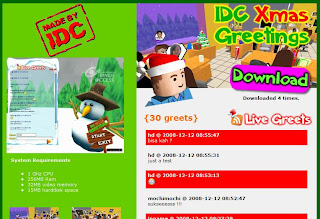
The game is about celebrating the next Christmas by giving Greeting cards to the IDC Binus staff within 30 seconds. Be sure to make it in time! Enjoy the game and Merry Christmas ho ho ho..
I've made a simple tutorial about simple game creation using Flash Actionscript 2. The tutorial is using bahasa Indonesia, and the game is about collect falling apples. Dont hesitate to leave any comment and suggestion here.
Still bugs hangin around, well I think it's time to release it in pre-alpha version. Of course to get any input and comments from u all :)
GamePlay: Its all about typing game, just type in the word(s) shown on the top of the input box while the battle is running. Who's faster and correct can hit their opponent, and vice versa.
Here's some screenshots:
Main Menu Host Game Menu Join/Challenge Menu Loading the game before the game started
well the game started, start typing!!!
FYI: the game needs 2 players connected via network to play.
Yesterday, i started to create this kendo boy game. Based on 2d flash game kendo boy developed by HIMTI BINUS. The game is overall 40% done and the gameplay is similiar with the 2d version, but with multiplayer (2 player) via LAN can battle their speed typing skill here.
Woke up in the morning and rushed to BINUS university for celebrating 63 years of Indonesia independence day with the new students during their orientation week.
6:30 AM Preparing the line.
Still preparing the line please dont harm the plants. 7:20 AM Ceremony begins.. hail to the flag. 9:12AM Informal ceremonial, the new students show off their dance and class attraction.
//Vars used: //Screensize (for position check) //Offset to get position of cursor //textBounds for text extent. Point2I offset; Point2I textBounds; S32 textWidth = mtProfile->mFont->getStrWidth(renderTip);
Well after browsing for mods @ GG site, I found this interesting engine modification about adding this Intel Laptop Gaming TDK API. With this API we can get the current status of the hardware running our game, is it running on a PC or Laptop. and we also can extract the battery and wireless signal strength of our laptop/PC.
Of course we can use this API on other game engines or maybe our self made game engine. This API is available for free from Intel, you can donwload it here http://softwarecommunity.intel.com/articles/eng/1017.htm and install it on your PC. You can see the methods you can call from this API in the IntelLaptopGamingTDK.h
This is a sample source code I've made just to try the features.
/** * Is this a laptop ?? */ cout << "\nIS LAPTOP ? " <<>IsLaptop();
/** * Get number of core on per physical processor */ cout << "\nCPU CORE ? " <<>GetNumCoresPerProcessor();
/** * Get total number of processors as seen by OS */ cout << "\nCPU COUNT ? " <GetNumProcessors();
// and just try the other methods..
// Memory leaks checking // 6 mem leaks because pointers on heap aren't deleted till function // exits. We call this function before the pointers go out of scope. _CrtDumpMemoryLeaks(); }
Testing::~Testing(void) { }
I use VC 2005 for the compiler.
Following are the steps to compile your code using this API.
Go to project properties
In the configuration properties > C++ @ the additional include directory, point to your directory where u put the headers and IntelLaptopGaming.lib
In the configuration properties > Linker @ the additional include directory, point to your directory where u put the headers and IntelLaptopGaming.lib
In the configuration properties > Linker > Input @ the additional dependency type IntelLaptopGaming.lib
Copy your IntelLaptopGaming.dll to your exe output directory (the dll depends on your OS if u use vista copy dll for vista, if u use xp copy dll for xp)
Yes, after waiting about 3 weeks the book finally arrived :D.
Well the book contents is quite easy to understand and makin a few things more clear to me. And after a few hours reading it, I soon realized that it's already chapter 4 of 14.
Day 1 of makin my 3d office using torque constructor for the first time! its kinda fun hehe.. then adding some objects that i've created using milkshape (tables, cpu, and lcd). thx to FRP again for the wall textures. I love rabbids so there they are ^^.
Day 2: 25-05-08
Day 2 changed lcd to crt monitors :D added some IFL(Image File Lists) animation for the screens. added chairs and put some pc's on the tables. and make the scene more toonish using outline mod.


 visit
visit 


 Day 1 of makin my 3d office using torque constructor for the first time! its kinda fun hehe.. then adding some objects that i've created using milkshape (tables, cpu, and lcd). thx to FRP again for the wall textures. I love rabbids so there they are ^^.


 Posts
Posts